
GUDORY
A camera app that coaches whoever holds your phone, one sentence at a time
Built for InThon 2026 HackathonKorea University College of Informatics · 2026.10.31 – 2026.11.01
- Period
- 2026.10.31 – 2026.11.01
- Type
- Hackathon project
- Team
- 4 people
- Role
- Team lead · camera app, integration, release
- Status
- Completed
- Deployment
- Download AvailableGitHub Releases
LibrariesMediaPipe
AI ToolsClaude Code
GitHub Repository
Summary
An Android camera app for when you hand your phone to someone else: it tells the photographer one composition fix at a time, in a sentence like "take two steps back". The target composition is either recommended from the background (recommend mode) or taken from a reference photo the user picks (custom mode). Pose detection and background analysis both run on the device. Built by a four-person team at the InThon 2026 hackathon.
What I Did
- Designed the module interfaces (contracts) and the shared data models
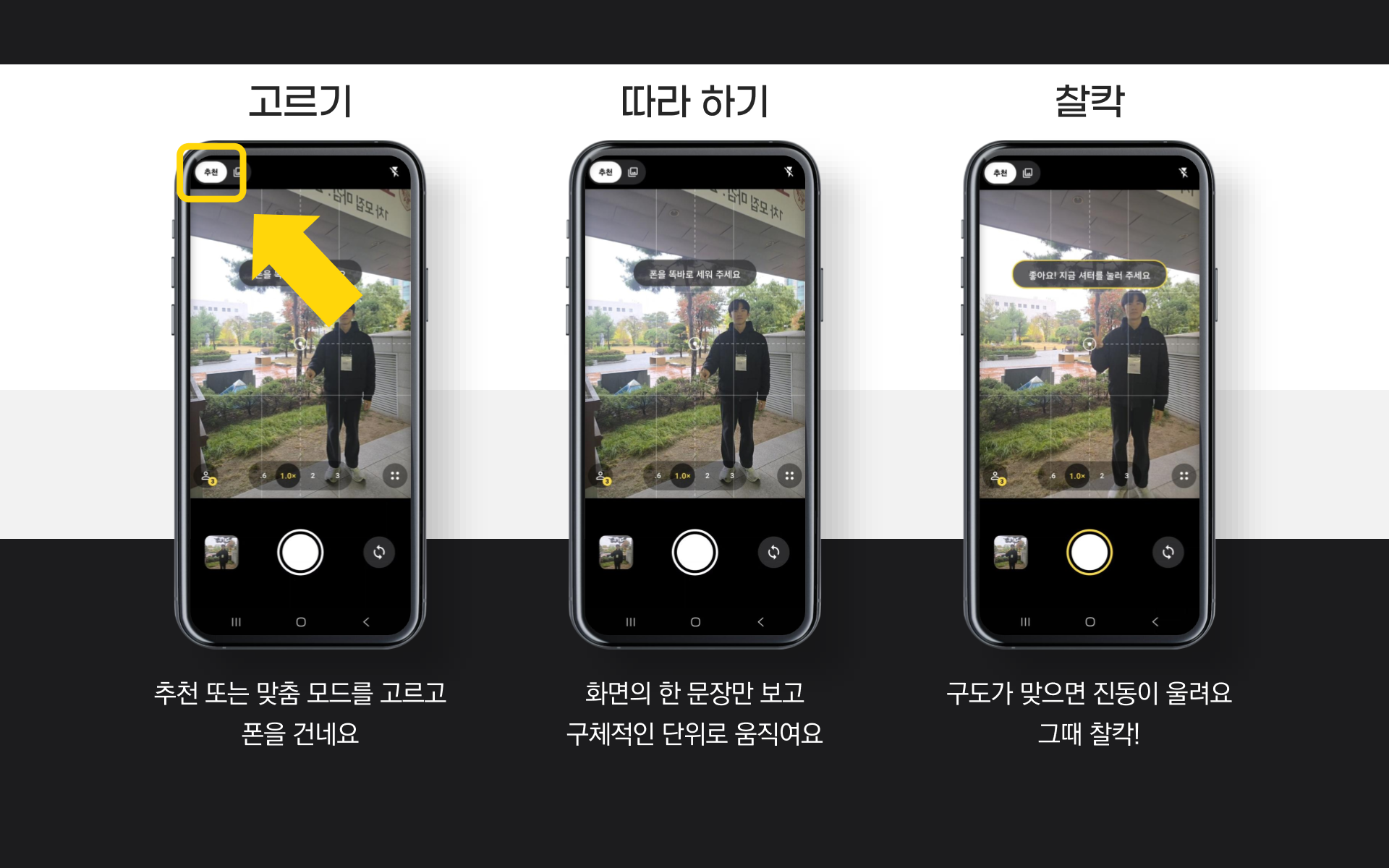
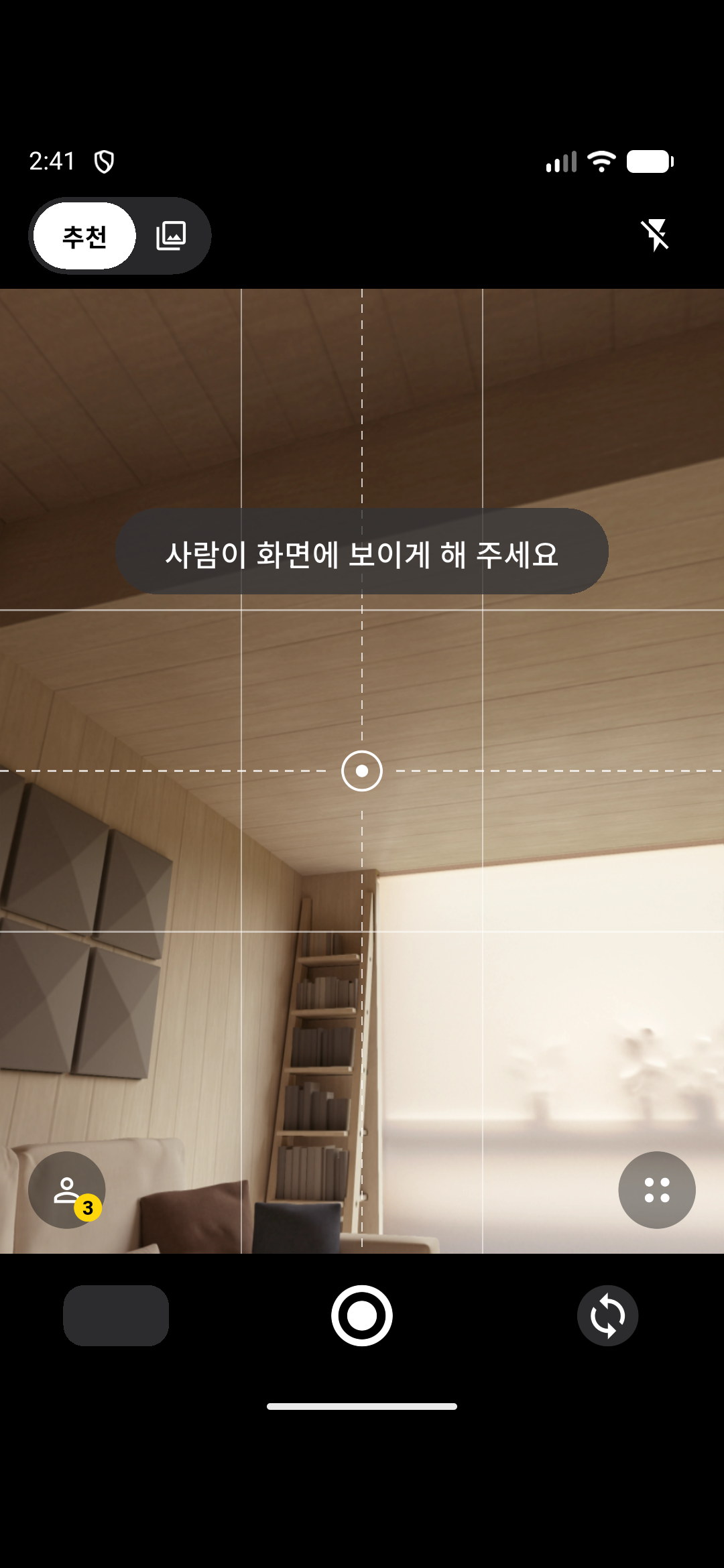
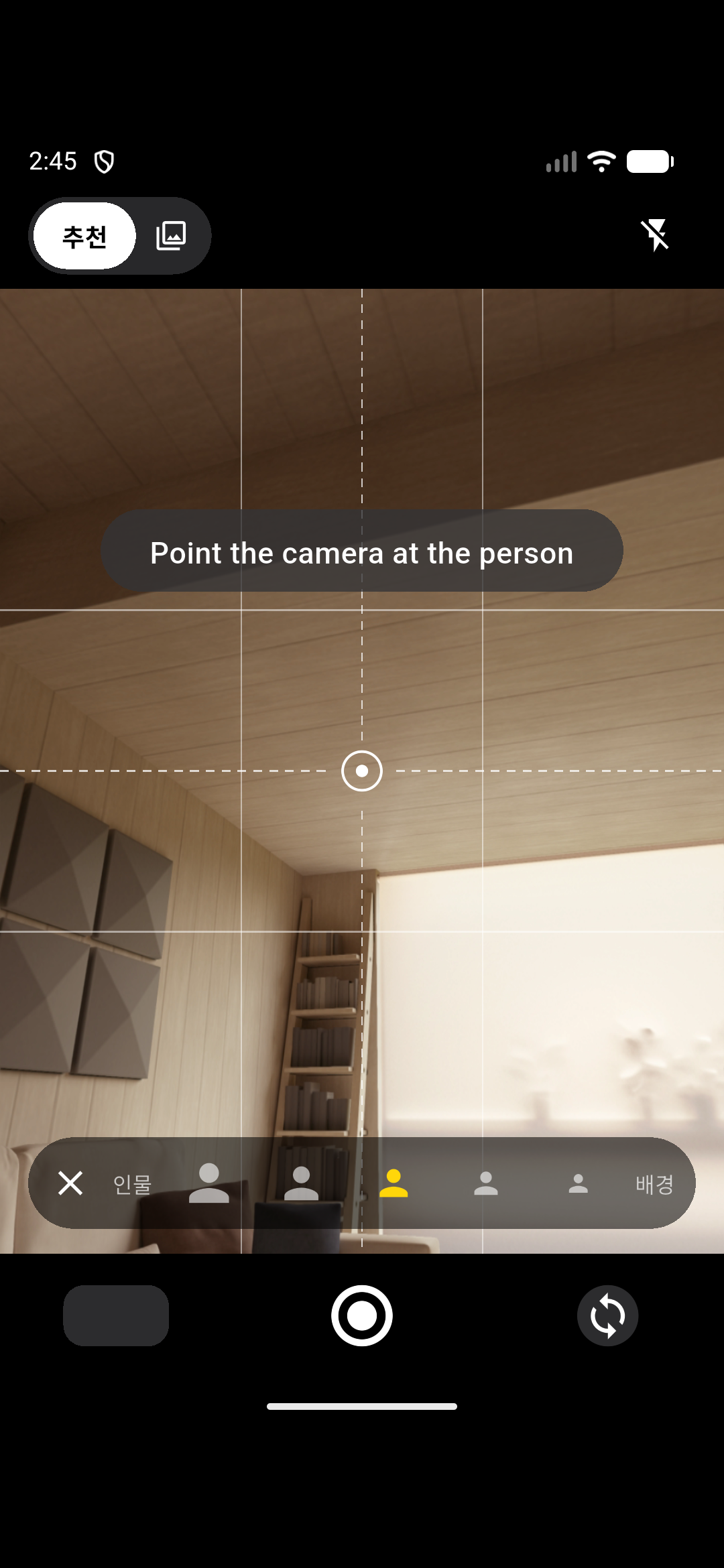
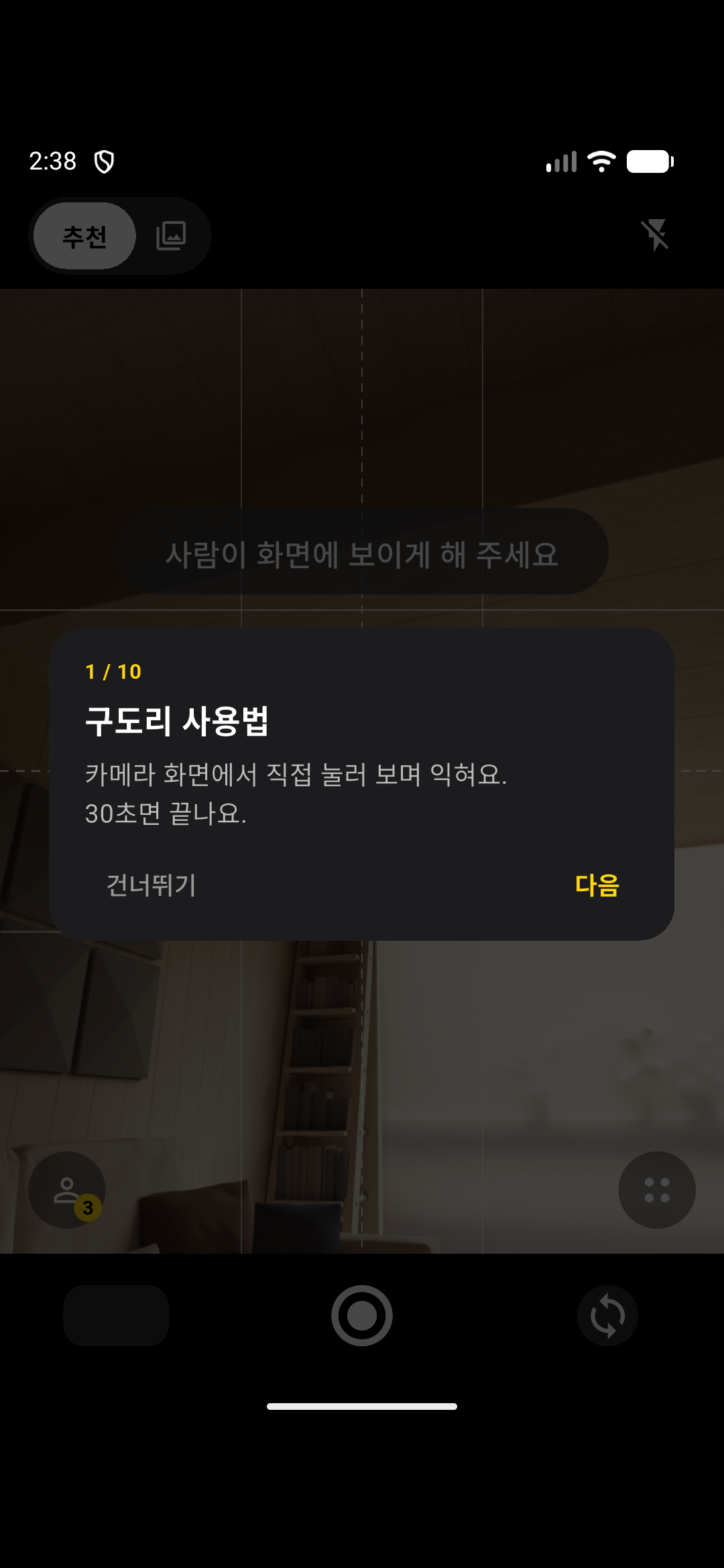
- Built the camera screen UI: mode switch, 5-step person-to-background bar, reference sheet and zoom ruler
- Implemented full-resolution capture, saving exactly the previewed area, and rotation of landscape shots
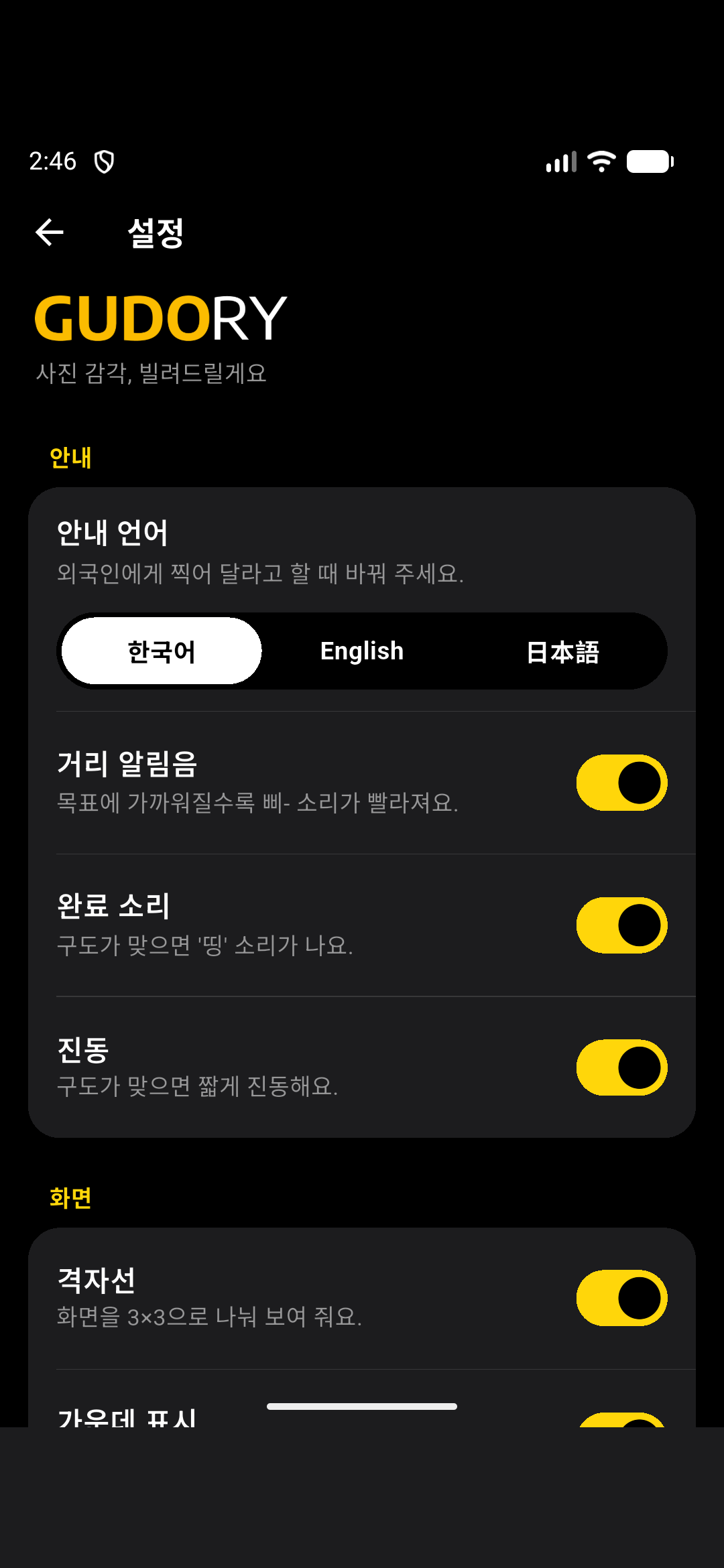
- Implemented proximity beeps, the aligned sound and vibration, and instruction text in Korean, English and Japanese
- Built the settings screen and the in-app how-to tour
- Integrated teammates' pose, coaching engine and scene recommender modules into the app
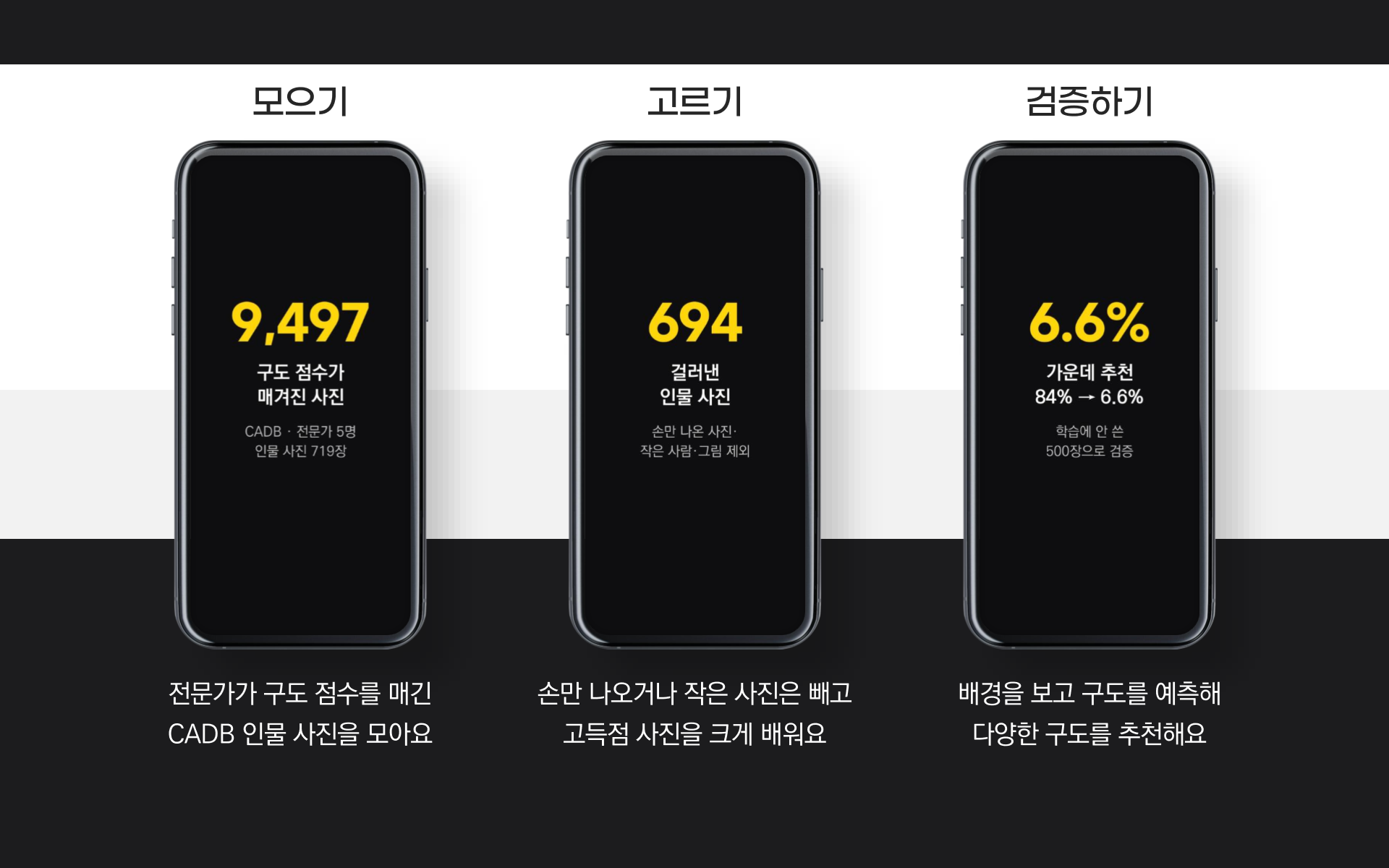
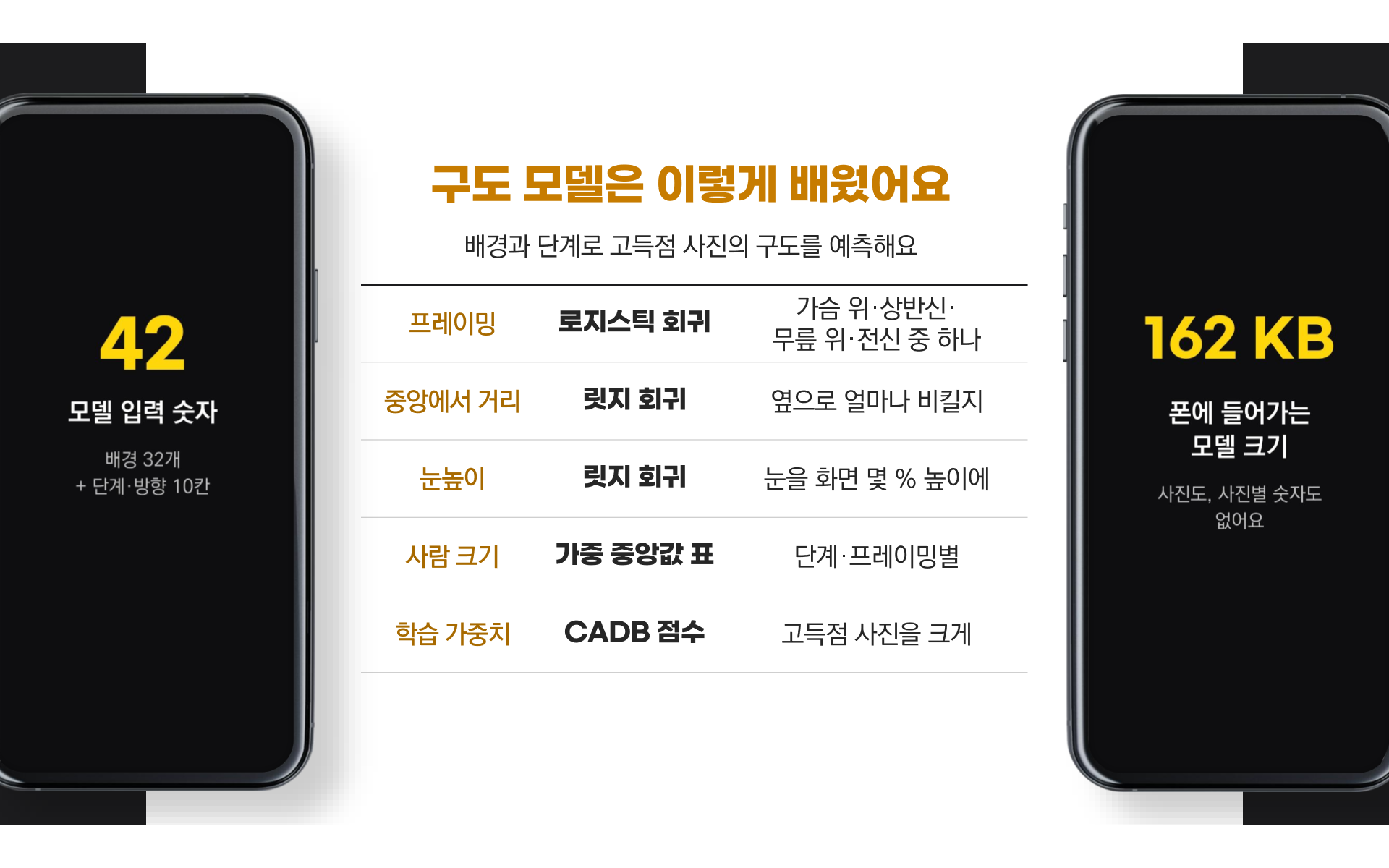
- Built recommender v2, trained on CADB, including the training script and on-device inference
- Fixed a release-build crash at launch and published the Android APK v0.1.0
Screens
 View full size (new tab)
 View full size (new tab)
 View full size (new tab)
 View full size (new tab)
 View full size (new tab)
 View full size (new tab)
 View full size (new tab)
 View full size (new tab)
 View full size (new tab)
Key Features
- Recommend mode
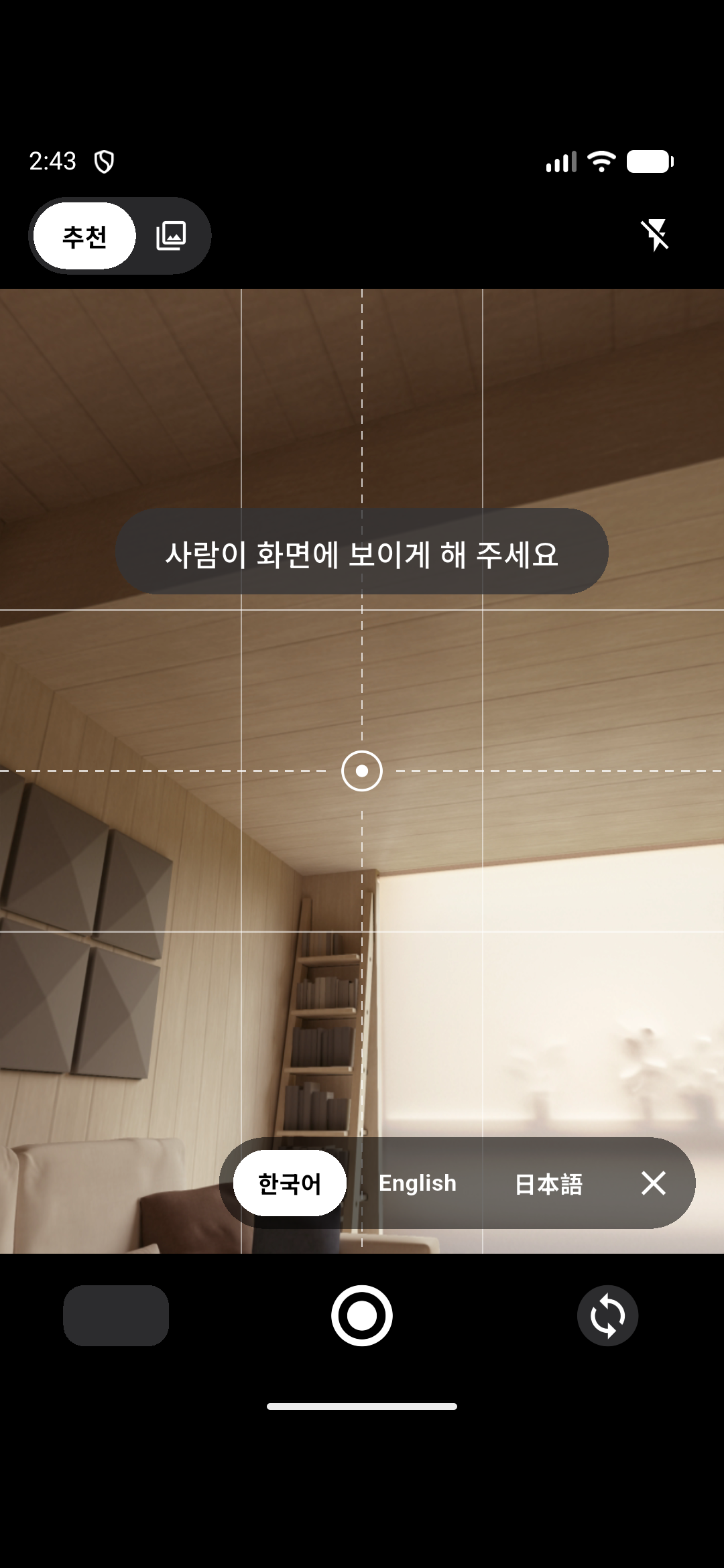
- On-device CLIP reads the background with the person masked out to set the target composition, and a 5-step bar picks between person-centred and background-centred.
- Custom mode
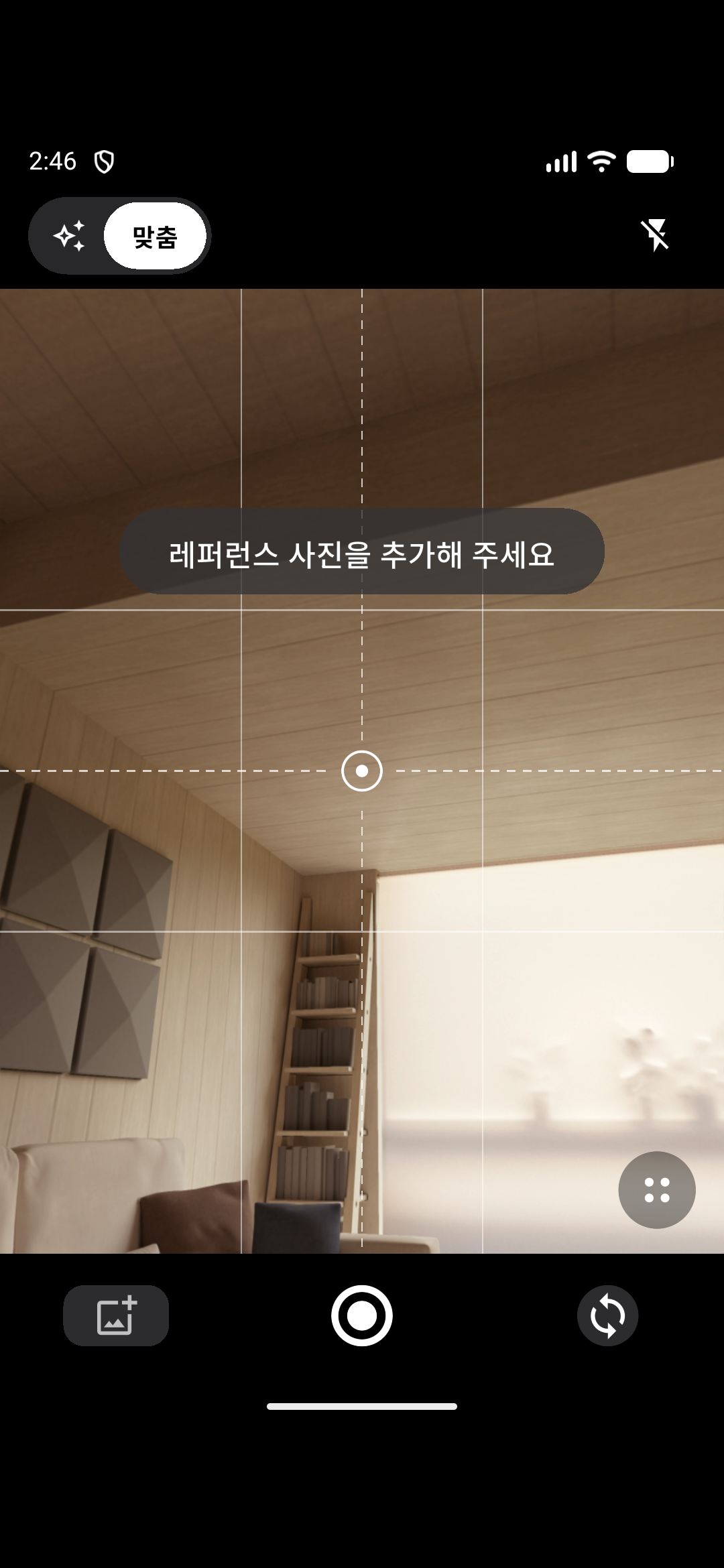
- The user adds several reference photos, and the selected one becomes the target composition.
- One-sentence coaching
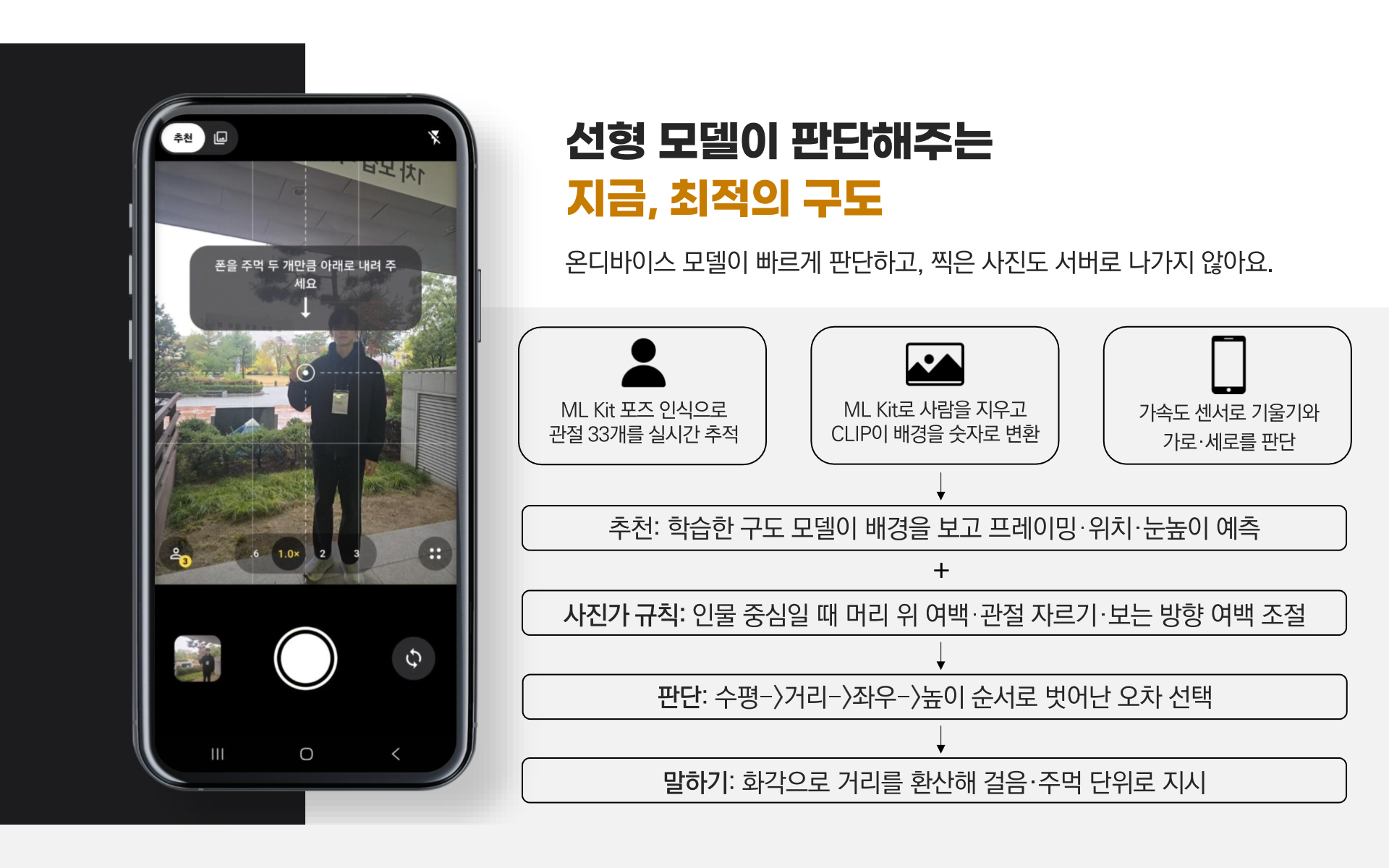
- Checks level (±3°), distance, horizontal position and height in that order, and shows the first one out of range as a sentence in steps (0.6 m) or fists (10 cm), converted using the camera's field of view, with a direction arrow.
- Photographer rules
- At levels 1–3 of recommend mode, the target is adjusted for head room, frame edges that avoid cutting at joints, and lead room in the direction the person faces.
- Sound and vibration feedback
- Beeps speed up near the target, and a ding, a vibration and a yellow shutter ring signal when to press the shutter.
- Three instruction languages
- Instructions can be switched between Korean, English and Japanese.
- Full-quality saving
- Portrait or landscape is detected automatically, and the photo is saved at full resolution, exactly as previewed, to a GUDORY album.
Tech Stack
Language
- Dart
- The whole app: camera, coaching, recommendation and settings
- Python
- Training-photo filtering, recommendation asset generation and the recommender v2 training pipeline
Mobile
- Flutter
- Screens, capture and saving of the Android camera app
- Riverpod
- Wiring the camera, coaching and recommendation modules through providers
AI
- Google ML Kit
- Pose detection on live frames and reference photos, and person masking with Selfie Segmentation
- ONNX Runtime
- Running the CLIP model on the device to embed the background
- CLIP
- Turning the person-masked background into a vector used as input for composition recommendations
- scikit-learn
- PCA, logistic and ridge regression for recommender v2
Libraries and Tools Also Used
AI
- MediaPipe
- Pose and person detection filters for training photos
Other projects using the same technologyLocal QuestDayce
Architecture
One Flutter app joins the camera, feedback, coaching and scene recommendation modules through shared interfaces, assembled with Riverpod providers. Camera frames go through ML Kit pose detection and are compared with the target composition in the coaching engine; the target comes from CLIP background analysis (recommend mode) or reference photo analysis (custom mode). There is no server: all inference runs on the device, and an offline Python pipeline builds the recommendation data in advance.
Problems & Solutions
Problem
The release APK crashed at launch while debug builds worked
Solution
Traced it to R8 stripping WorkManager's Room database constructor and added ProGuard keep rules
Problem
Locking capture orientation to landscape made the preview wobble
Solution
Always captured in portrait and rotated landscape photos when saving
Problem
Camera frames were copied even with no consumer, causing frequent garbage collection
Solution
Ran the analysis frame stream only while something listens
Problem
The first recommender (v1) put the person in the centre most of the time (83.8% on a 500-photo set)
Solution
Recommender v2 keeps the side the person stands on and learns only the distance from centre, cutting centred picks to 6.6% on the same 500 photos, which v2 never trained on
Outcomes
- Presented and demoed at the InThon 2026 hackathon, hosted by the Korea University College of Informatics
- Released Android APK v0.1.0 on GitHub Releases
- 235 app tests passing (run on 2026-11-02)
Learnings
- This was my first project that recognises people through the camera, and I learned that the visible preview, the analysis frames and the saved photo must share one coordinate space for the guidance to match the result.
- I learned that an app that works in debug can still fail after release-build optimisation, so release builds need checking on a real device.
- Defining the interfaces first and starting each module from a stand-in implementation let four people develop at the same time.