Hello Vibe
A vibe-coding extension for Kiro that records evidence of understanding while you build
Built for Korea University × AWS AI Innovators ChallengeKorea University × AWS · 2026.08 – 2026.10
- Period
- 2026.08 – Present
- Type
- Team project
- Team
- 2 people
- Role
- Frontend developer (backend support)
- Status
- In progress
- Deployment
- Download AvailableGitHub (VSIX)
- AI
Librariesfast-check, esbuild
AI ToolsClaude Code, Kiro
GitHub Repository
Summary
A Kiro IDE extension that helps coding beginners start from one technology they want to learn and finish a TypeScript service. While agents write the code, the user picks the real decisions that come up during development, and "the agent wrote the code" is recorded separately from "the user understood it". Built by a two-person team for the Korea University × AWS AI Innovators Challenge, where it advanced to the finals.
What I Did
- Built the initial structure of the Agent Panel in the Kiro extension, with Builder and Helper tabs and streamed responses
- Designed and built the screen flow from learning goal input through project candidates to Learning Spec confirmation
- Integrated the Core frontend SDK and blocked features when the Core connection was unavailable
- Connected the Builder, Helper, Decision and Evidence screens to the live local Core
- Wrote Korean guidance for each error code found in live testing, and reported backend issues
- Built the finals version's 'Open in Kiro chat' action and the window reload notice
- Fixed backend toolchain errors on Windows, and built and checked the Windows installer on a real PC
Key Features
- Project discovery
- Entering a technology to learn returns ten project candidates, which the user can narrow down with feedback.
- Learning Spec
- The user reviews, refines and confirms the Learning Spec, and can go back to project discovery.
- Builder decision cards
- Real decisions the Builder agent meets during development appear as cards, and work continues with the user's choice.
- Read-only Helper
- A read-only conversation for explanations that does not modify files.
- Evidence and concept state
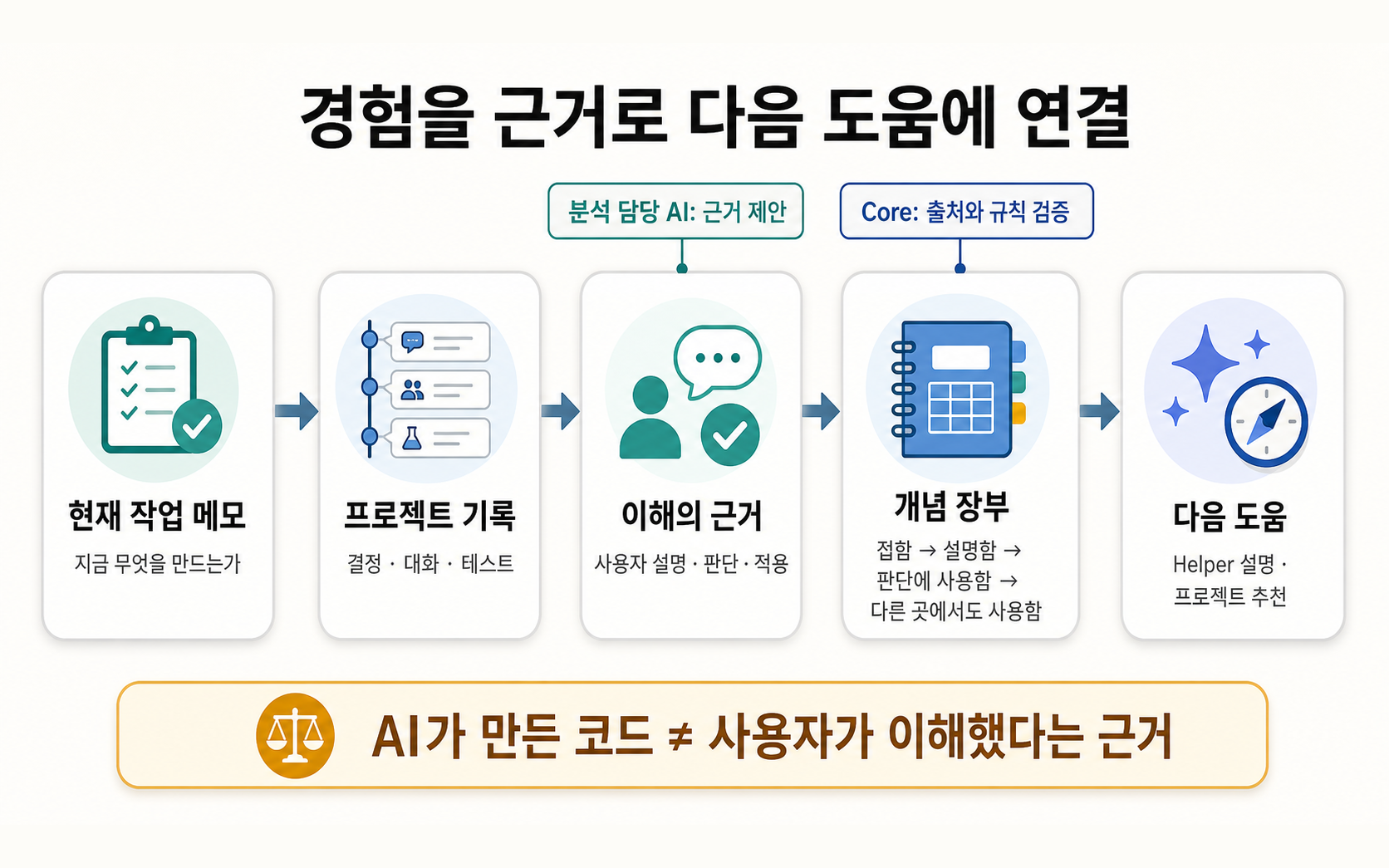
- Evidence of learning is recorded, and concept state only moves up through four fixed stages; downgrades are refused.
- Local storage with redaction
- State is stored in SQLite on the user's computer, and known forms of tokens, keys and home paths are redacted before saving.
- Kiro chat handoff
- In the finals version, the confirmed project opens in Kiro chat, where building continues.
Tech Stack
Language
- TypeScript
- Main language of the extension frontend and the Core backend
Frontend
- VS Code Extension API
- The Agent Panel webview and extension commands inside Kiro
Backend
- Node.js
- The local Core HTTP and SSE server bound to 127.0.0.1
AI
- Kiro
- Running the Discovery, Builder, Helper and Evidence Analyst agents (Kiro built-in agent and kiro-cli)
- Model Context Protocol
- MCP servers that give each agent role its own set of tools
Database
- SQLite
- Local state storage (better-sqlite3)
- Drizzle ORM
- SQLite schema definitions and migrations
Tooling
- Vitest
- Tests for the extension and Core
Libraries and Tools Also Used
Tooling
- fast-check
- Property-based tests for the screen state controllers
- esbuild
- Bundling the extension and webview code
Architecture
The Kiro extension starts a local Core automatically and talks to it over token-authenticated HTTP and SSE on 127.0.0.1. Core stores state in SQLite, runs four agents through the Kiro built-in agent or kiro-cli, and gives each agent role its own tools through MCP servers.
Problems & Solutions
Problem
The per-user kiro-cli install was not found on a real Windows 11 PC
Solution
Added the per-user install path to the lookup and fixed 13 tests that failed only on Windows
Problem
Generated projects stopped with a toolchain-changed error after every extension version bump
Solution
Changed the check to accept upgrades to a newer version of the same product
Problem
In the finals version, Core refused panel Builder runs, so the start button ended in an error
Solution
Changed the start action to open the project in Kiro chat
Problem
portable/node_modules was ignored by git, and line-ending conversion broke the release kit hashes
Solution
Tracked the files byte for byte with a .gitignore exception and .gitattributes settings
Outcomes
- Advanced to the finals of the Korea University × AWS AI Innovators Challenge
- Passed 807 automated tests on frontend version 0.0.18
- Confirmed app generation and launch, decision handling, and restore after restart with a real model on the Mac build (0.1.3)
Learnings
- This was my first extension. I learned to keep screen state in controllers, to fit a setup where the extension host and the webview only exchange messages.
- It was also my first time putting AI into a program's features. I learned that telling users what happened and what to do next when a model response fails or stops matters as much as building the feature.