
Local Quest
A tourism quest app that rewards walking to less crowded places
Built for 2026 Tourism Data Contest (web/app track)Korea Tourism Organization × Sungkyunkwan University AI-Centered University Program · 2026.07 – 2026.09
- Period
- 2026.08 – 2026.09
- Type
- Team project
- Team
- 3 people
- Role
- Project lead, frontend developer, and designer
- Status
- Completed
- Deployment
- LiveONE store
LibrariesKakao Login, Google Sign-In
Summary
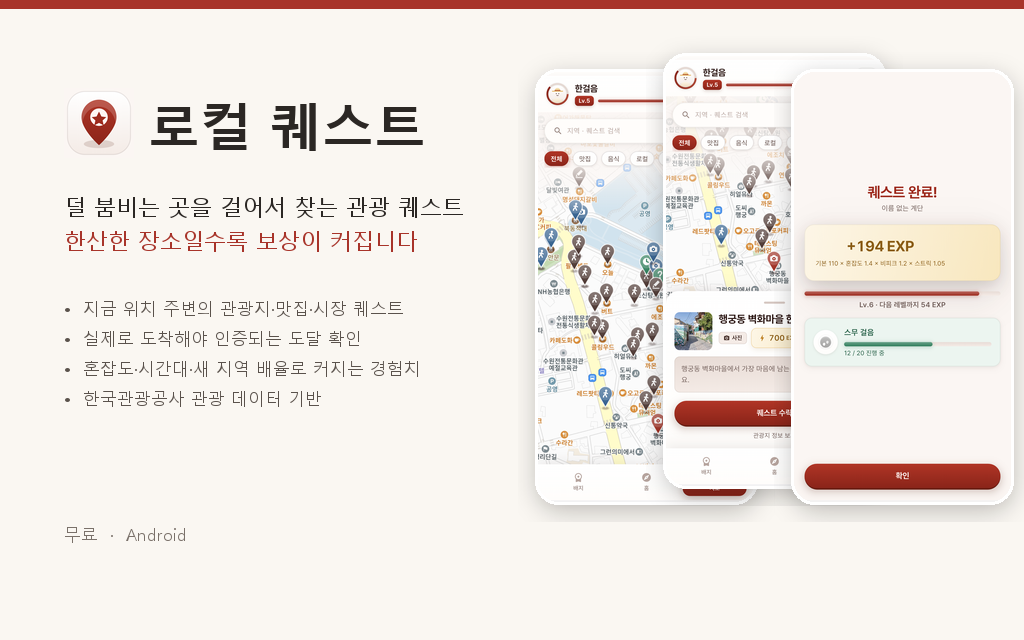
An Android app that turns nearby places from the Korea Tourism Organization’s location-based tourism data into quests and awards EXP and badges when users verify their arrival by GPS. It applies higher EXP multipliers to less crowded places, first visits to a region, and weekday-morning visits. Our team built it for the web/app track of the 2026 Tourism Data Contest and released it on ONE store.
What I Did
- Designed the “Parchment & Seal” v1.0 design system and every screen of the app
- Rebuilt the login, onboarding, home and other screens on shared design tokens and widgets
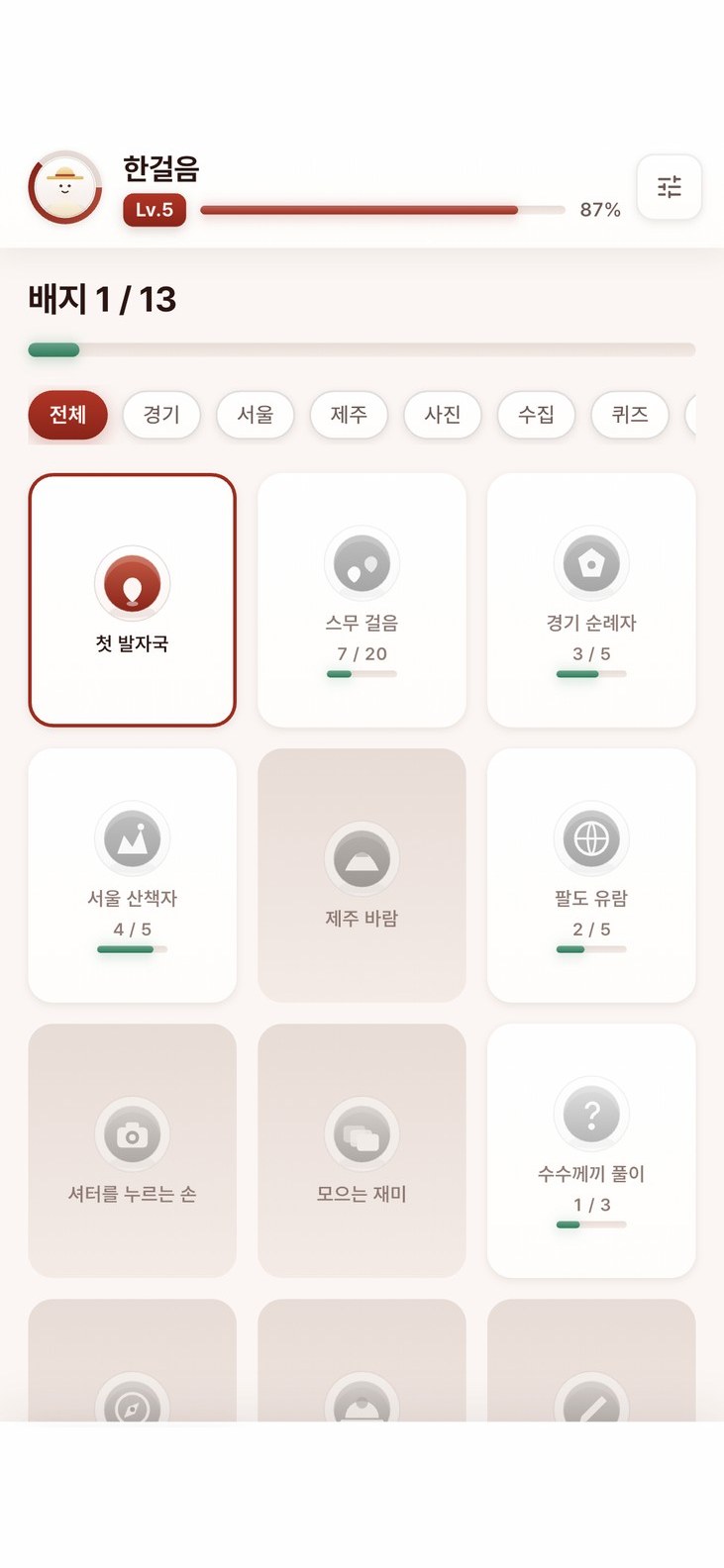
- Built the badge collection, badge detail, profile and settings screens
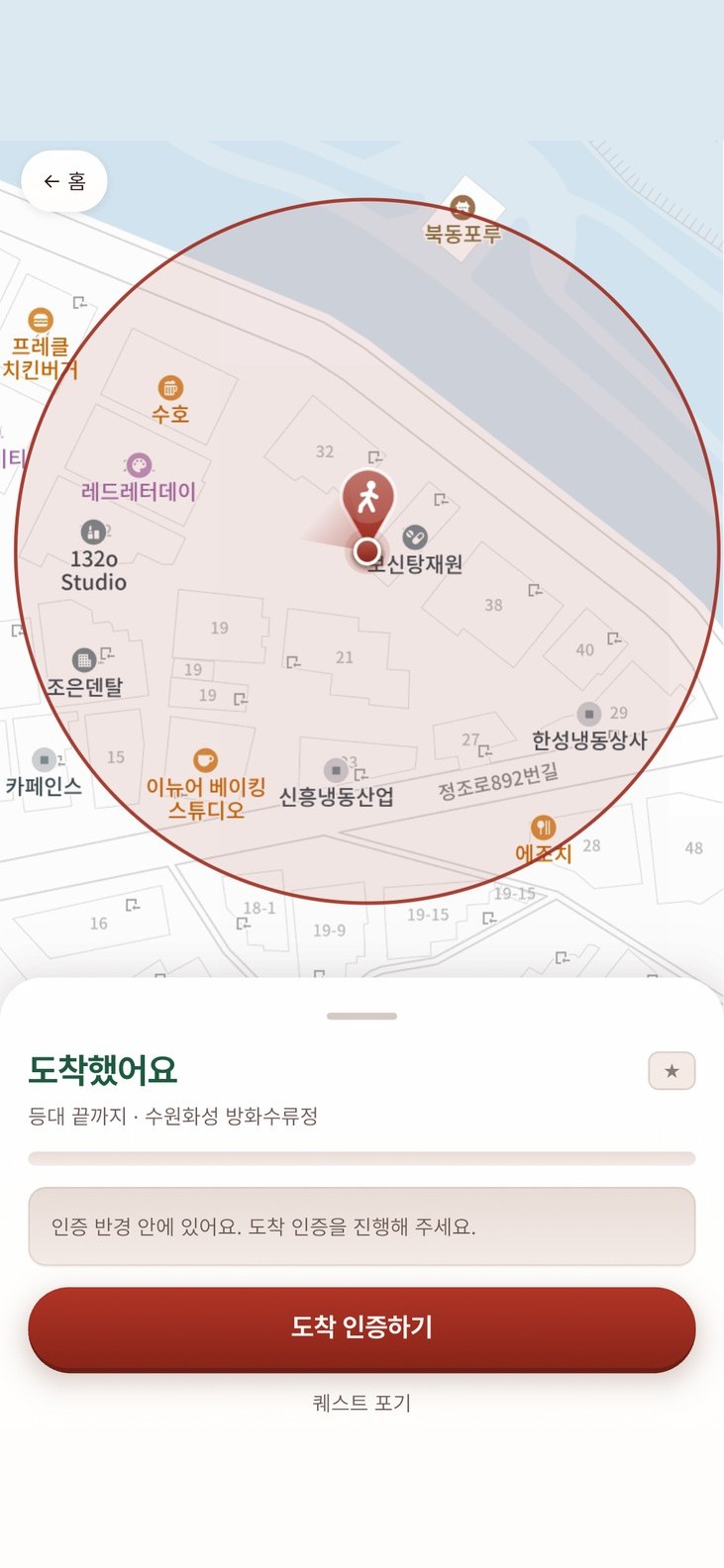
- Implemented the quest progress map showing the destination, verification radius, current position and heading on Kakao Maps
- Built the verification screen for collection quests that require several photos
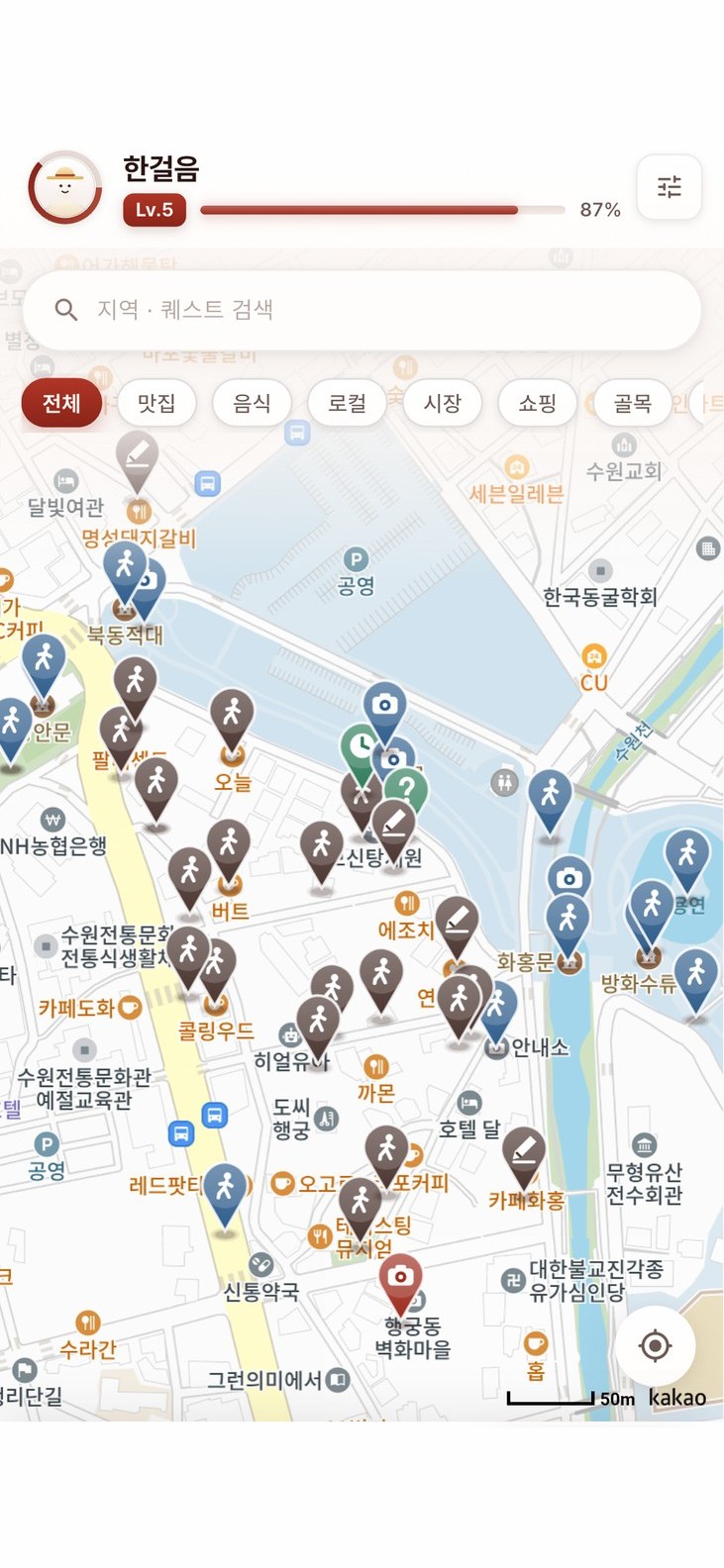
- Wrote a tool that draws the map markers for 7 quest types across 5 difficulty tiers in code
- Implemented the app’s API client with automatic token refresh and separate handling of network loss and session expiry
- Wrote layout tests that check screens for overflow at three screen sizes and with enlarged text
- Configured the Android release build and carried out the ONE store release
- Wrote the contest submission documents and captured the demo screenshots
Screens
 View full size (new tab)
 View full size (new tab)
 View full size (new tab)
 View full size (new tab)
 View full size (new tab)
 View full size (new tab)
Key Features
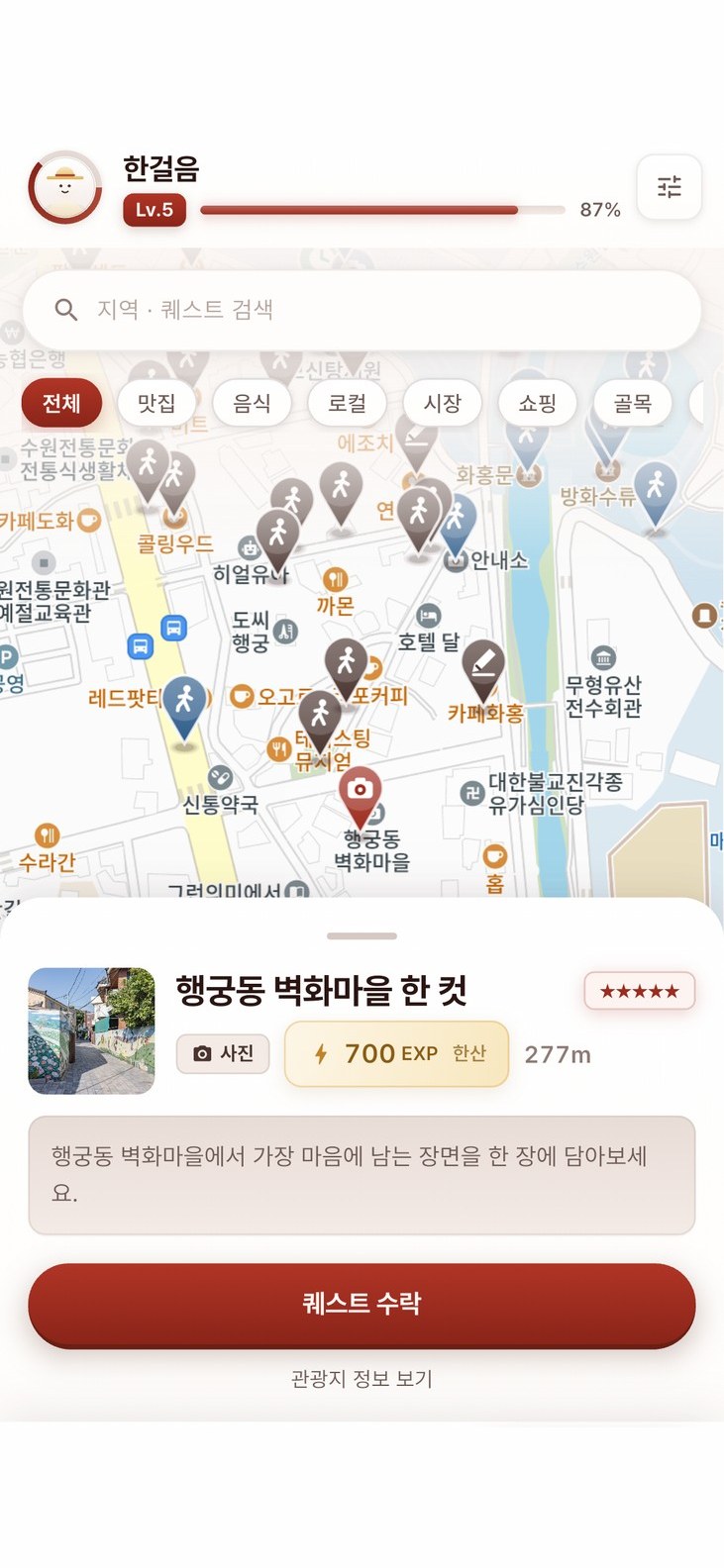
- Nearby tourism quests
- Turns nearby places from the Korea Tourism Organization’s TourAPI into visit, photo, collection or note quests.
- GPS arrival verification
- The server checks the verification radius, GPS accuracy and per-type conditions, and prevents the same request from being processed twice.
- Per-place verification types
- Besides arrival-only visits, quests can require a photo, a set of photos, a quiz answer or a one-line note.
- EXP multipliers
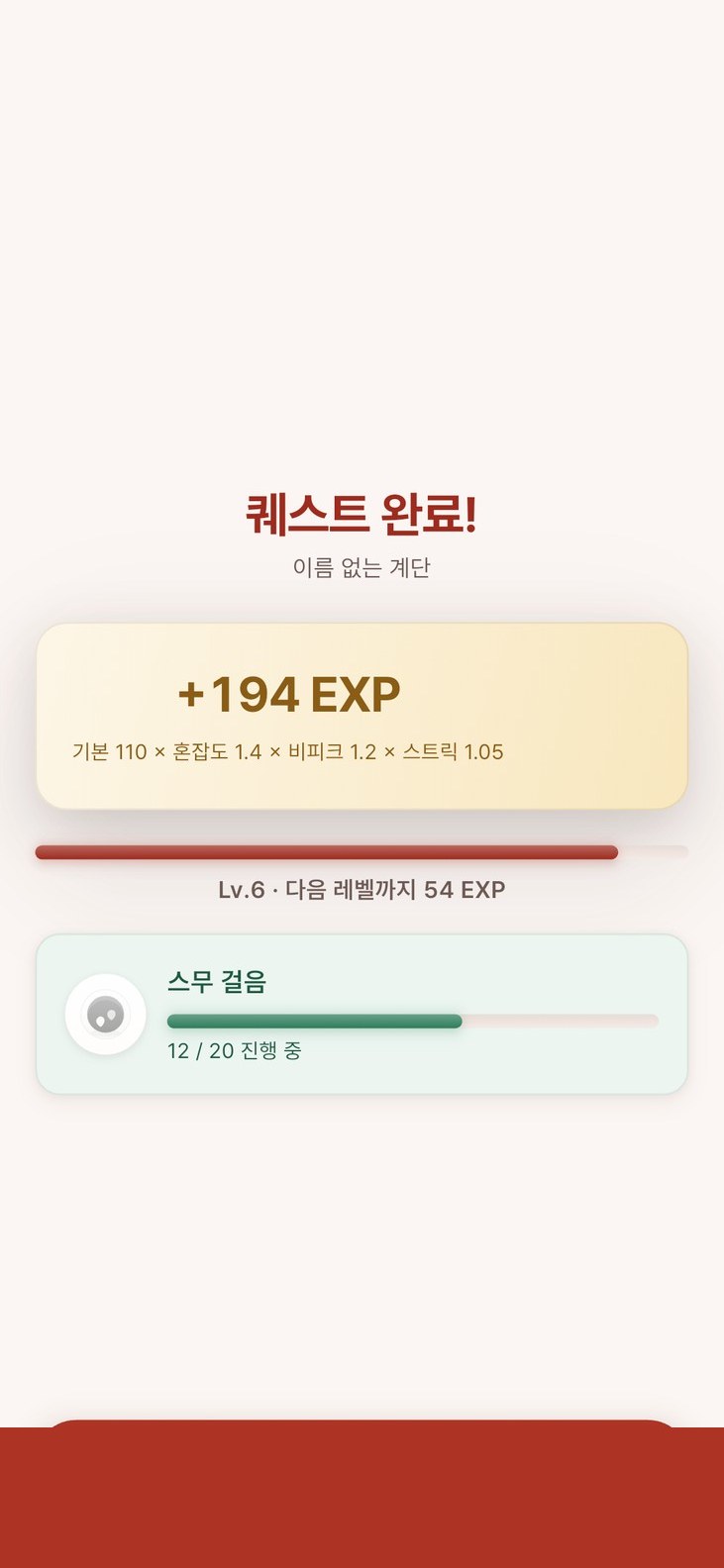
- EXP multipliers change with a crowding score computed from recent in-app check-ins, first visits to a region, weekday mornings and activity streaks.
- Quest map
- Shows quests in the visible Kakao Maps area with markers by type and difficulty, and displays the user’s heading from device sensors.
- Badge collection
- Users collect 13 badges (one of them hidden) and can pick up to 3 as featured badges.
- Offline verification queue
- Keeps verifications that failed because of the network on the device and sends them when the app reopens or the user retries.
Tech Stack
Language
- Dart
- The Flutter app’s code
Mobile
- Flutter
- The Android app and its screens
- Kakao Maps API
- Quest-map markers by type and difficulty; destination, verification radius, current position and heading on the progress screen
Data
- TourAPI
- Fetches nearby places from location-based tourism data (locationBasedList2) to create quests
Libraries and Tools Also Used
Mobile
- Kakao Login
- Sign-in with a Kakao account
- Google Sign-In
- Sign-in with a Google account
Architecture
The Flutter Android app calls an Express REST API; the server stores data in PostgreSQL through Prisma and creates quests from nearby places fetched from the Korea Tourism Organization’s TourAPI. The app uploads verification photos directly to AWS S3 with presigned URLs, and push notifications are sent through Firebase Cloud Messaging.
Problems & Solutions
Problem
Kakao login could not receive its callback in release builds
Solution
Injected the callback scheme into the manifest from the app key in the build settings
Problem
Losing the network logged users out
Solution
Separated connection failures from session expiry and added an offline notice with a retry button
Problem
Screens overflowed on small phones and with enlarged text
Solution
Added tests covering three screen sizes and 1.3x text, then fixed the overflowing layouts
Problem
The quest progress screen showed a decorative drawing instead of a map
Solution
Replaced it with Kakao Maps showing the destination, verification radius, current position and heading
Outcomes
- Released on ONE store (2026-09-18, v1.0.0)
- Submitted to the web/app track of the 2026 Tourism Data Contest; first-round results pending (as of 2026-10)
Learnings
- Releasing an app on ONE store for the first time, I found and fixed problems that only appear in release builds, such as the login callback, signing key and cleartext traffic settings.